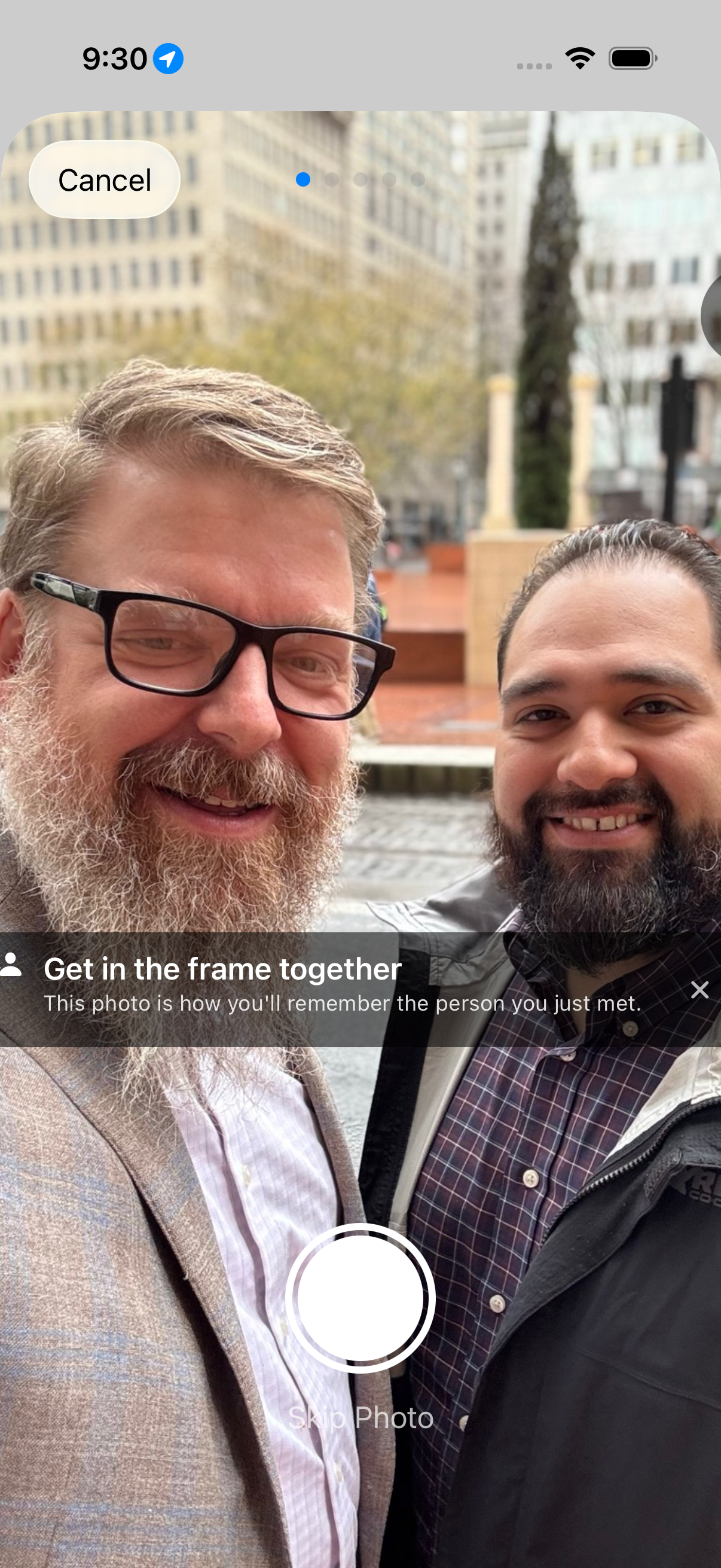
You meet someone at a conference and swap numbers. You might have used NameDrop to trade contact cards quickly. You get home with their number and the plan to follow up. The catch is that you don’t remember their name, so how do you find them in your address book?
Names are only part of it. Do you remember the conversation, where you met, or what the person looked like? Swapping contacts is easy now. Remembering the person requires extra effort.
Nexus Contacts starts with a photo of the two of you. The app calls the step “Get in the frame together” and explains: “This photo is how you’ll remember the person you just met.”
Then you enter their name and number. I show them what I’ve entered, or let them type it themselves, so I get it right. You pick which of your cards to send; you can keep separate cards for business, personal, or family events. You can add other people to the message too.
Tap “Send via Messages” and the app hands a draft to the Messages app with your card and the photo attached. Nothing goes out until you press send, and you can change anything in the draft first.
After you hit send
The app asks what you talked about. You can dictate it with the iPhone keyboard’s microphone. It then offers a reminder for tomorrow, in 3 days, next week, or in 2 weeks.
The person is saved in your iPhone Contacts with the selfie as their photo, if you have allowed Contacts access. They get a message from you with your card and a copy of the photo. You both have the photo.