Screens
See it before you download.
No trial and no feature gates. Every feature is in the free version, and capacity is the only thing you can buy.
Places
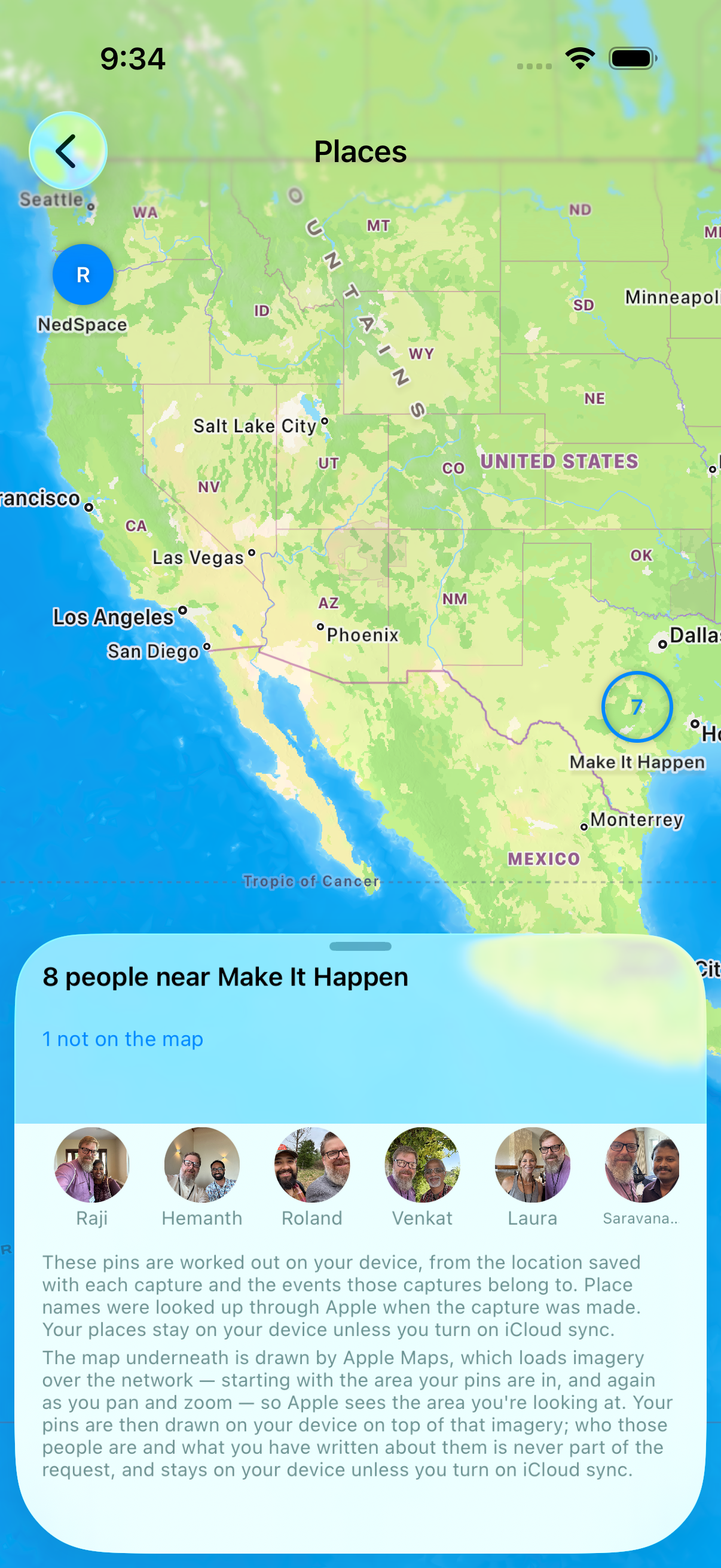
Everyone you've met, on a map.
One pin per place, not per person. Meet six people at one meetup and that is one pin with six faces behind it. Pinch out to widen the search and the list follows whatever you are looking at; tap a face and you are on that person, with the map still behind you when you come back.
People you met somewhere without a location saved are not dropped. Not on the map sits with the rest and holds them, one tap away.
Some pins come from the event rather than from the person. Those say placed from the event, so you can tell what the app recorded from what it worked out.
The pins are worked out on your device. The map underneath is Apple Maps, so opening Places sends something to Apple — exactly what, and when.
You will find Places in the menu on your wall, once there are people on it.
Ask them how they say their name
Names are easy to get wrong and awkward to ask about a second time. Record the person saying their own name, and play it back before you next see them.
The recording screen is split in half and turned around. Your side says: Turn the phone to them and ask. Their side, the right way up for them, says: Say your name, and they'll remember how to say it. Each half has a record button.
Before your first recording the app asks you, once, to ask them first. It stores nothing about that conversation, because it cannot witness one.
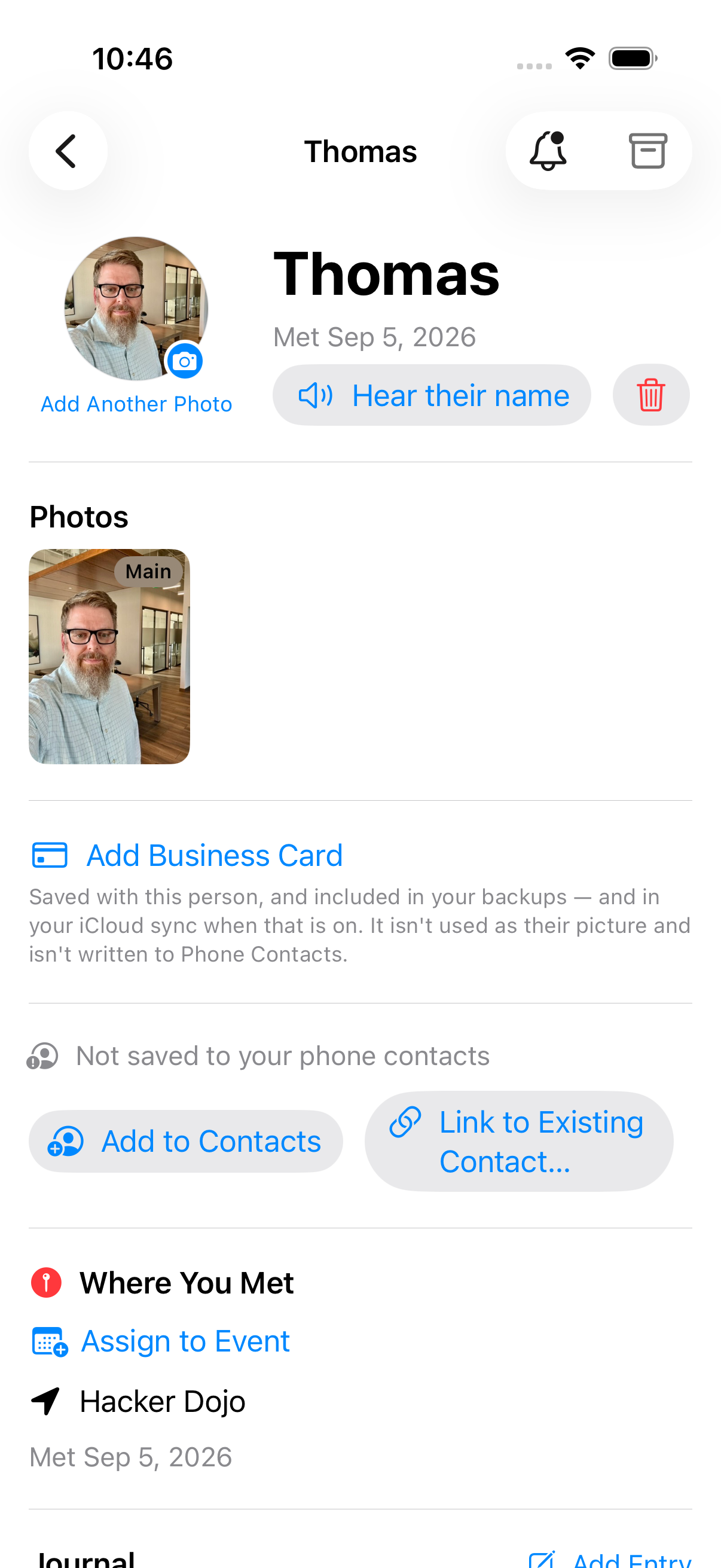
The recording then lives on their card. Open that person and Hear their name is there, with a delete beside it.
Practice Names
Know their name before you see them again.
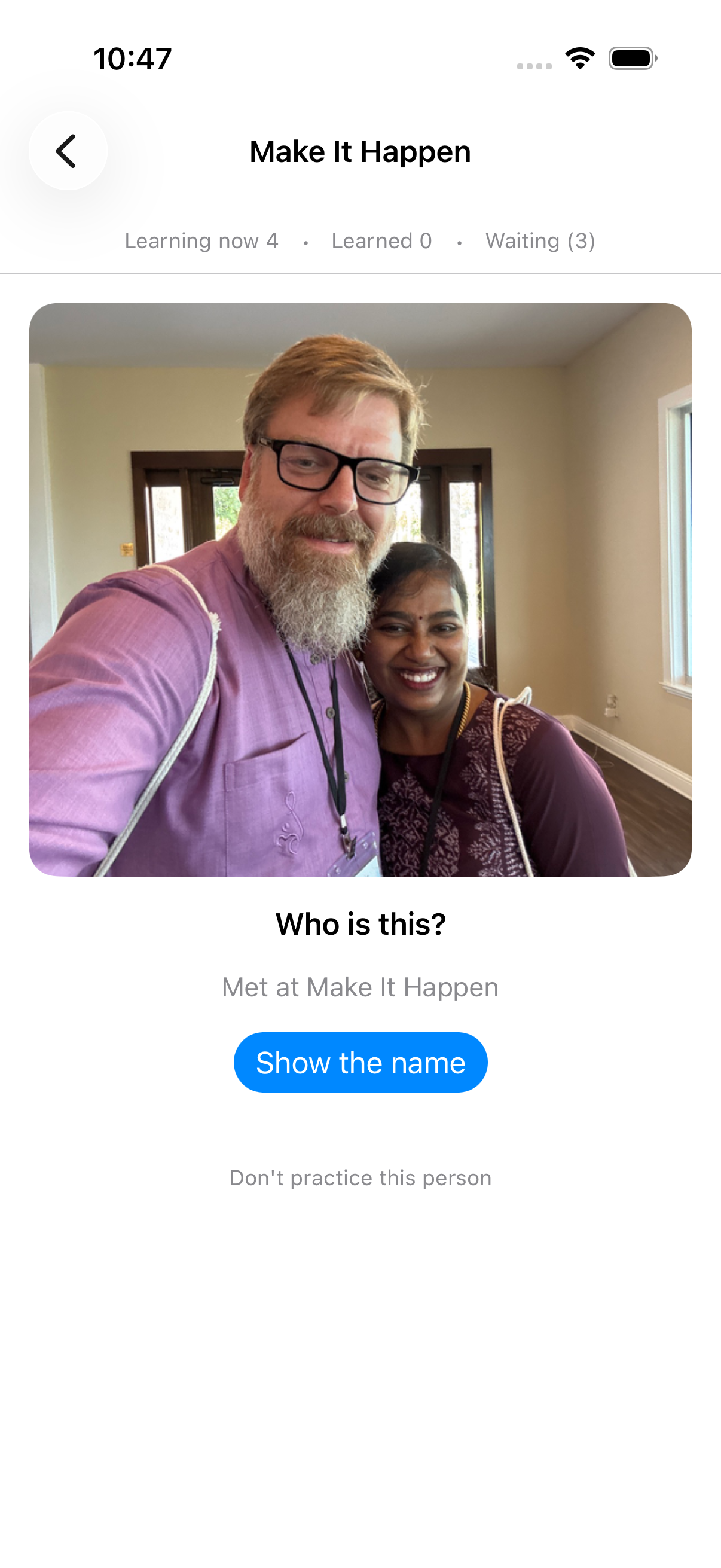
Pick an event or a place, and go through the people you met there. Not your whole address book — one gathering, the way you'd think about it before walking back into the room.
A card shows a face and asks who it is. When there is no photo it asks you to pick the name instead, and it can remind you where you met. Show the name when you want it, then say how it went: Got it, Nearly, or No. What you say decides who comes back, and when.
Nothing keeps count. Someone you keep missing just comes round sooner.
You will find Practice Names in the menu on your wall, once there are people on it.
Meeting people at an event
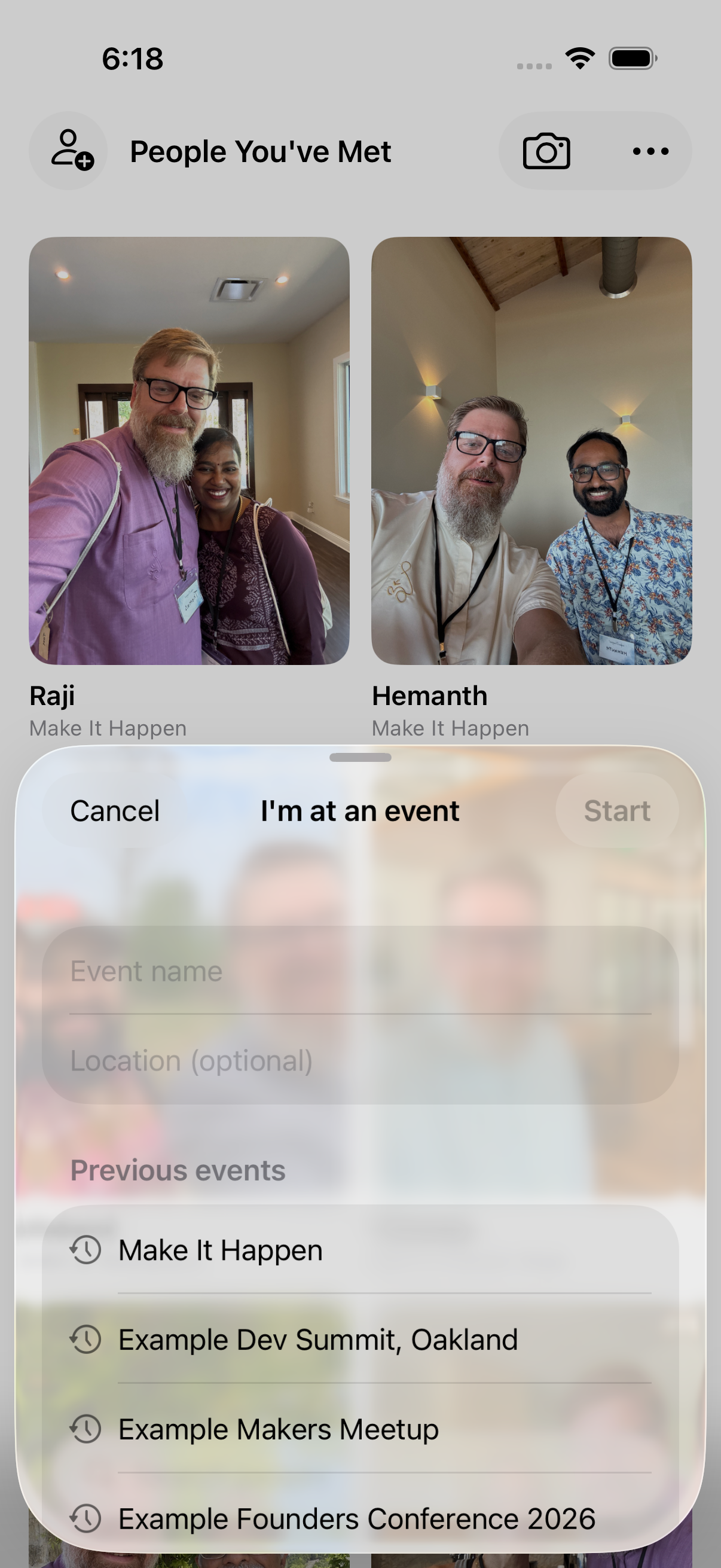
Tap I'm at an event… at the top of People You've Met. Name the event, or pick one from your calendar — anything happening now is marked Happening now. Add a location if you want one.
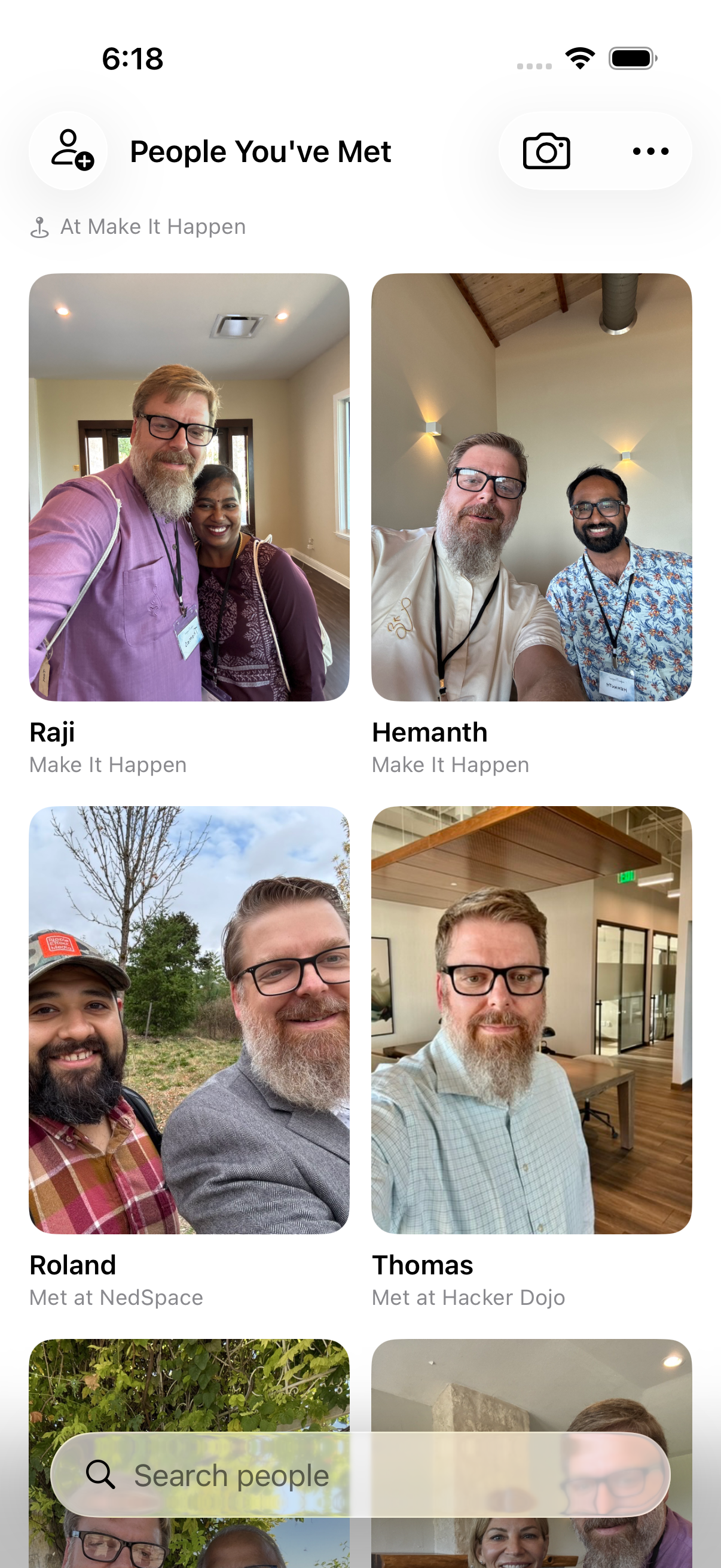
The event keeps running until you end it. While it's on, a banner sits at the top of your wall, and everyone you add while it's there starts out tagged with that event.
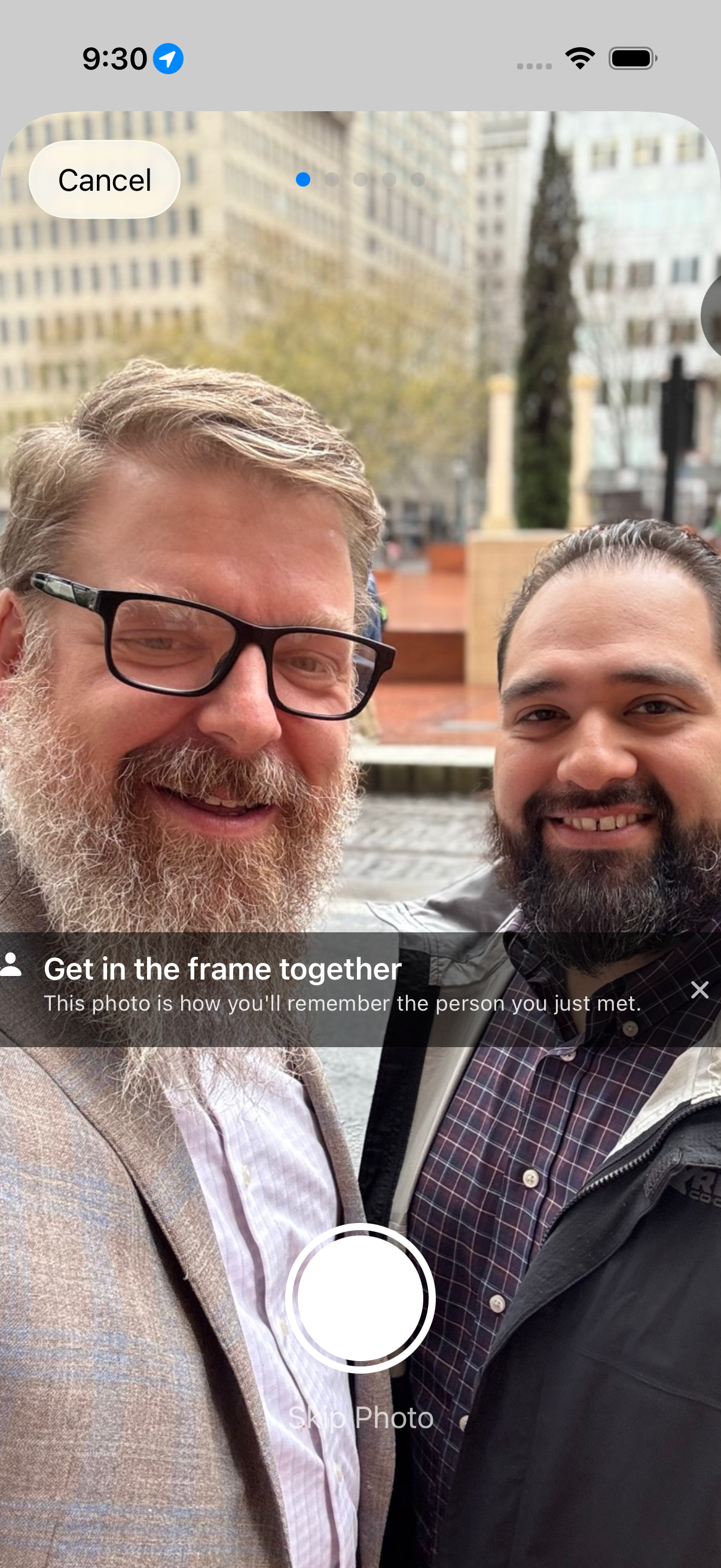
Get in the frame together
Tap the camera button in the top right. Before the camera opens, the screen tells you what the photo is for: “This photo is how you'll remember the person you just met.” Take as many photos together as you like, or skip the step entirely.
When there is no photo moment, you can add someone by hand instead.
Send them your card
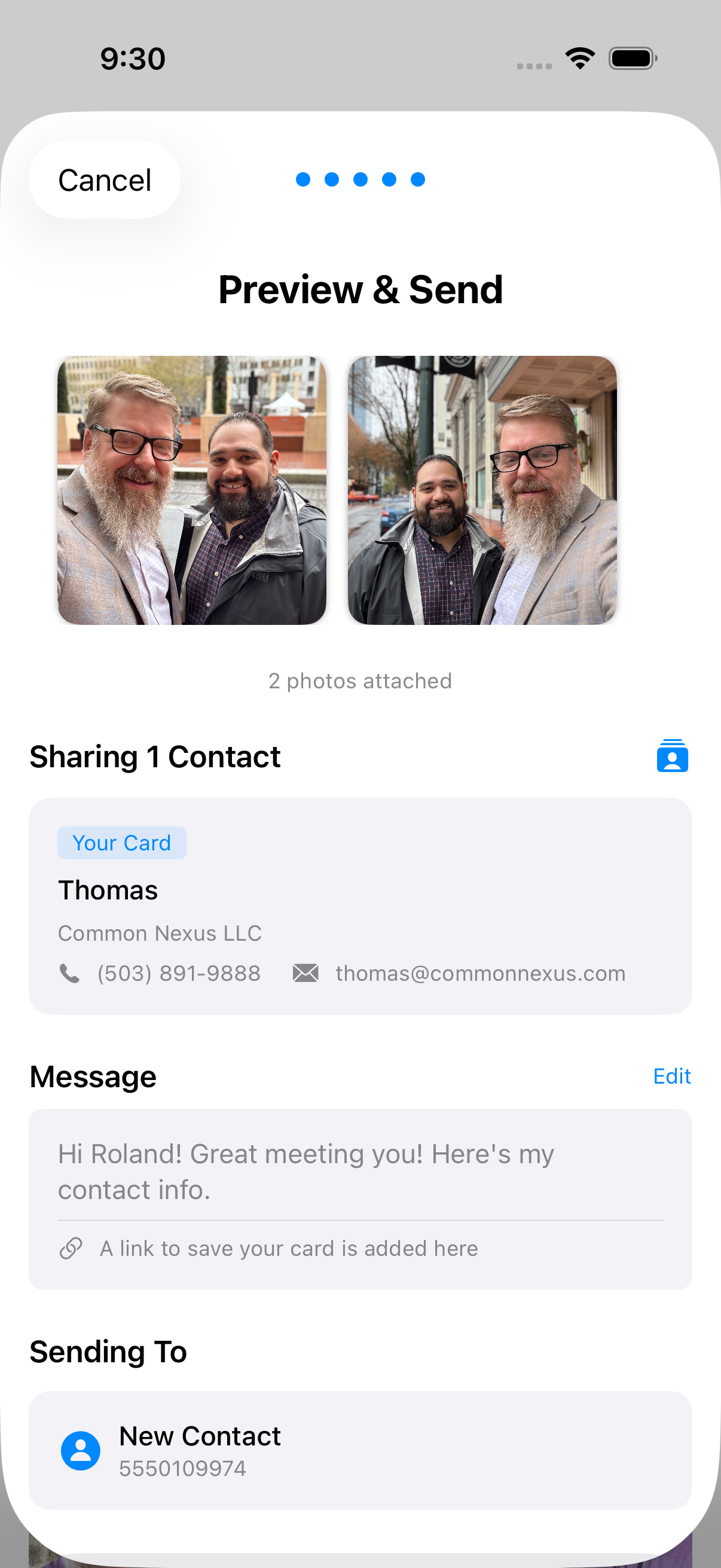
After the photo, the share flow walks you through four steps: enter their phone number, pick which ShareCard to send, preview and send, then jot down what you talked about.
Sending goes through Messages, which carries both the photo and your details to someone who is not already in your address book.
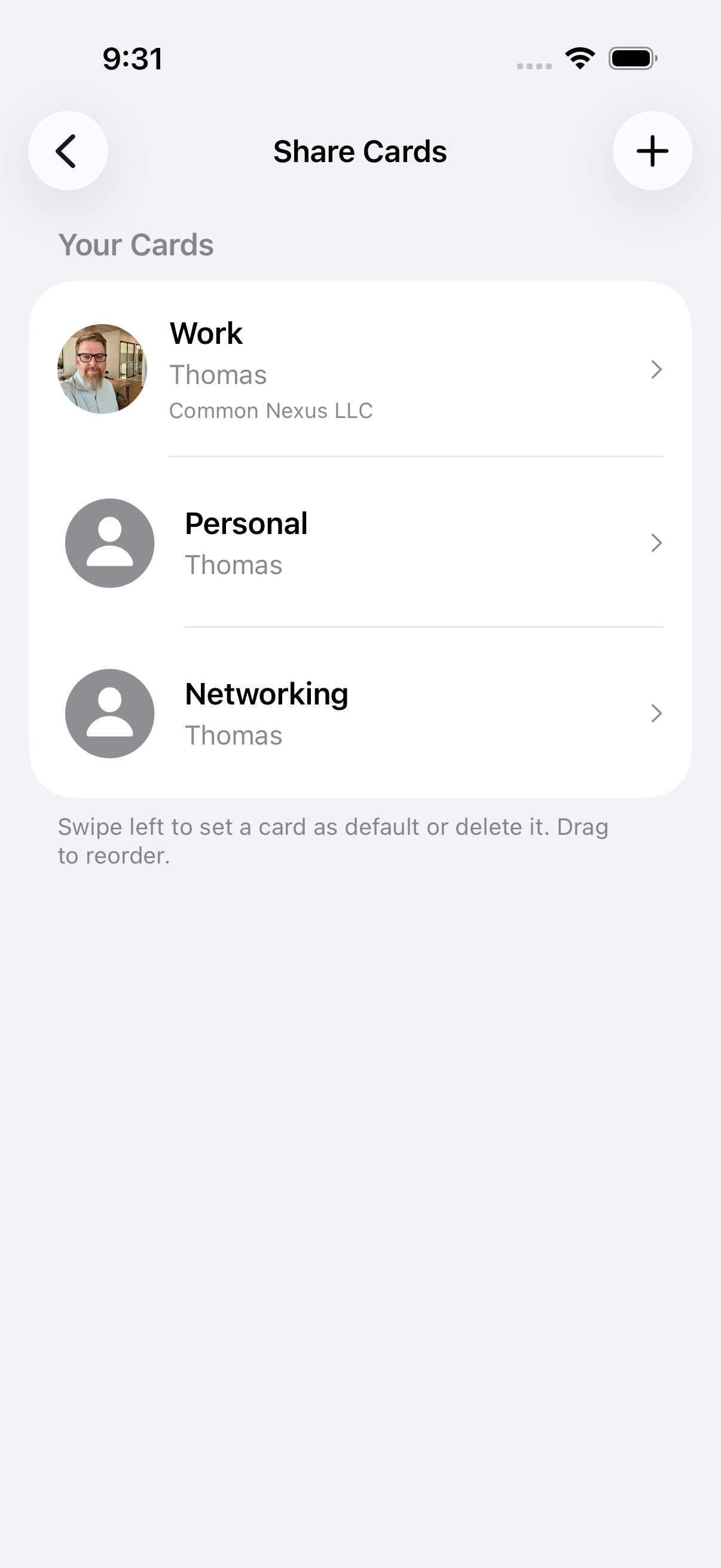
A different card for different rooms
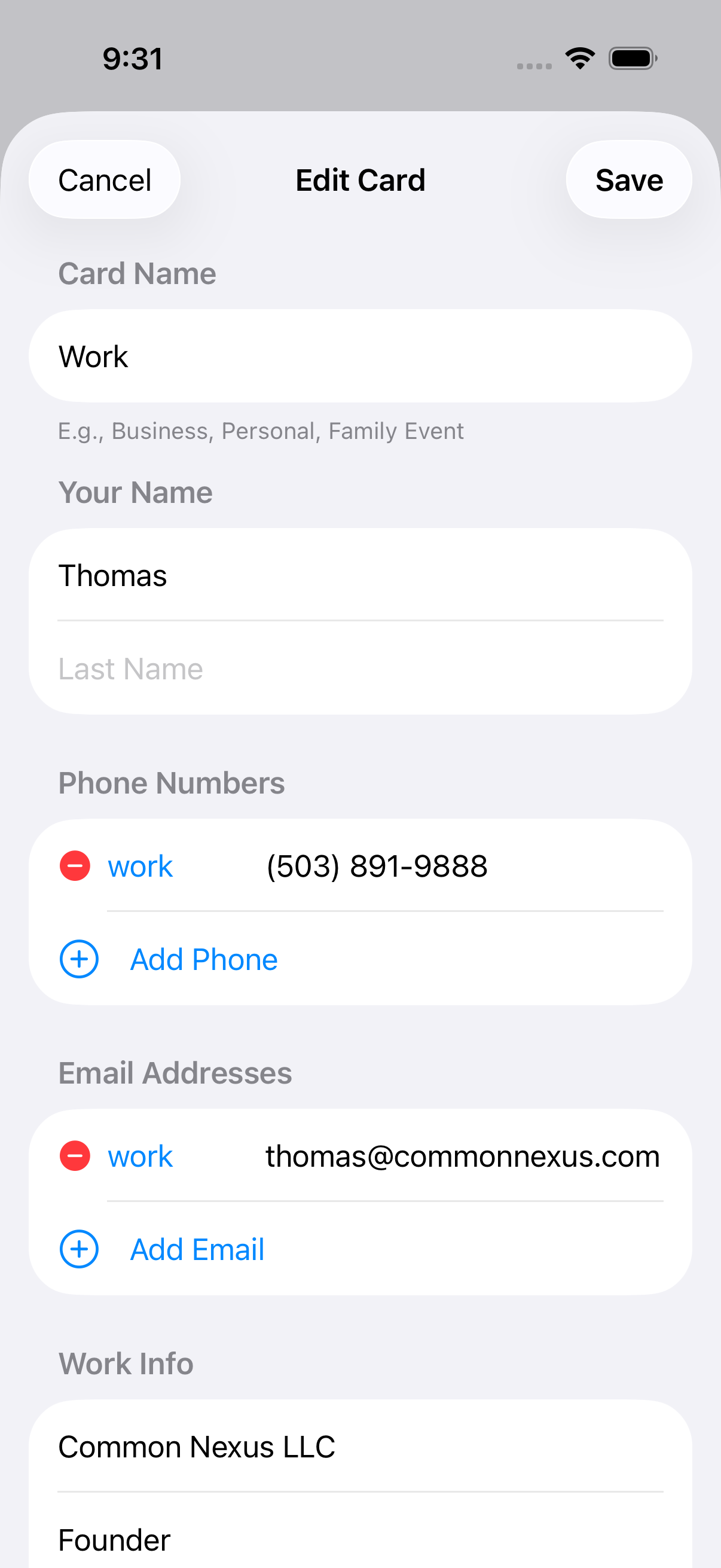
Create different ShareCards for different contexts — a professional card with your work email, a personal card with your phone number, or a card for a specific project.
Each card is yours to shape: choose exactly which phone numbers, emails and details it includes.
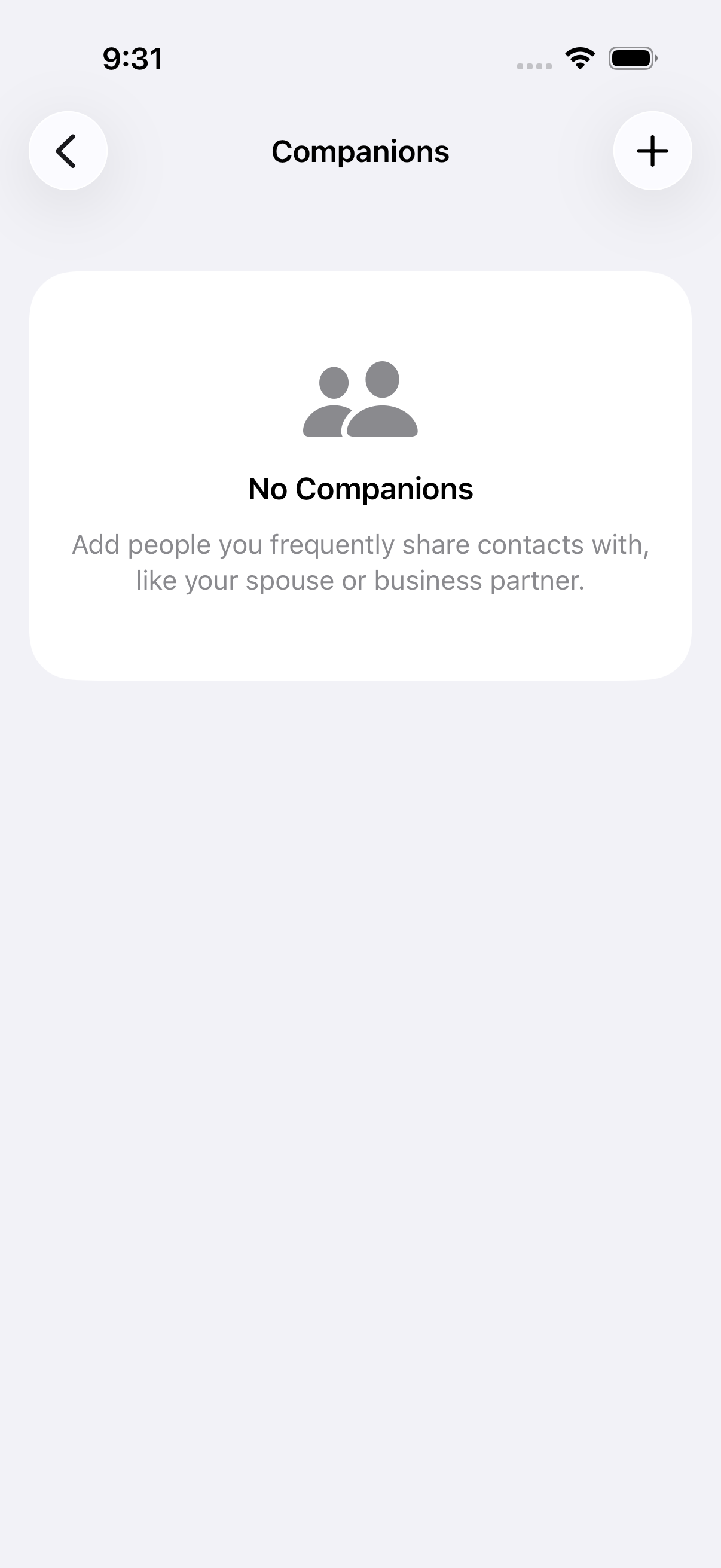
Companions
Companions are other contacts you frequently share alongside your own card — an assistant, a business partner, a team contact.
Set them up in Settings and they are available to include whenever you share.
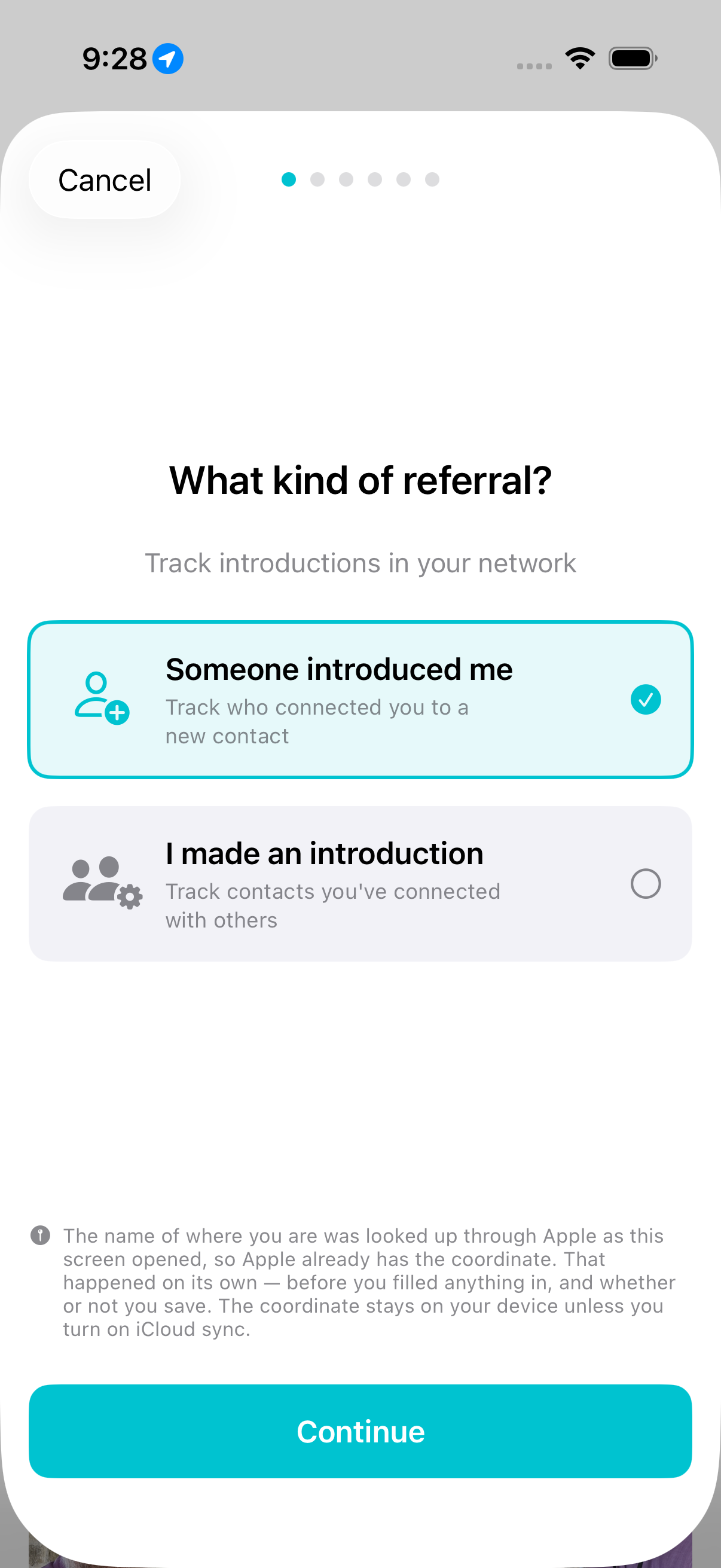
Who introduced you
Record who introduced you to whom, in either direction — someone introduced me, or I made an introduction.
Add the context of why you were introduced, tag the opportunity, and capture a photo to remember the moment. The referral lives on both people.
A nudge before it goes cold
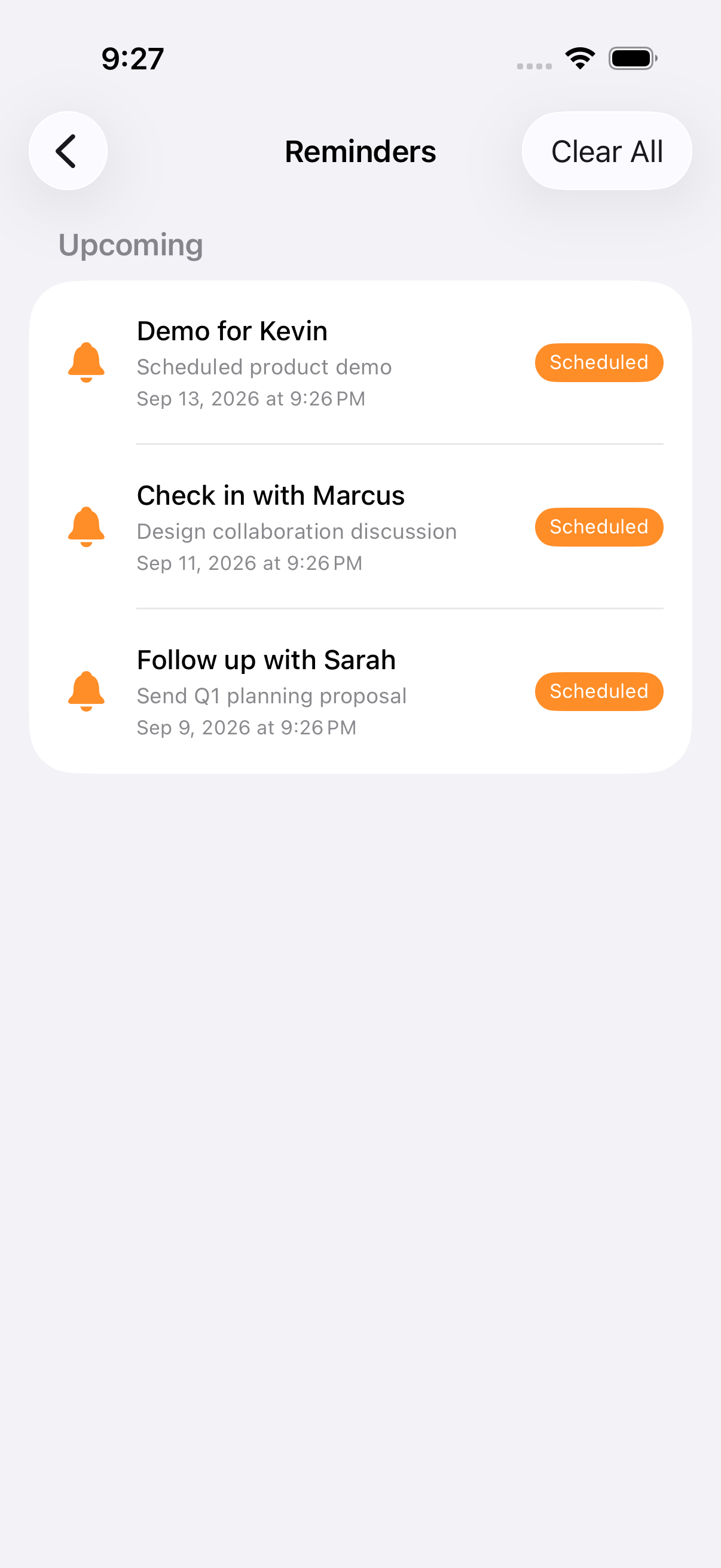
After meeting someone new the app offers a follow-up reminder, and you can set one from any person's page afterwards. Schedule it for days, weeks, or a specific date, with a note about what to follow up on.
Everything pending appears in one list, so you can see who you owe a message and when.
Each person has a journal
iOS keeps your call history and messages away from apps, so Nexus Contacts cannot fill the journal for you.
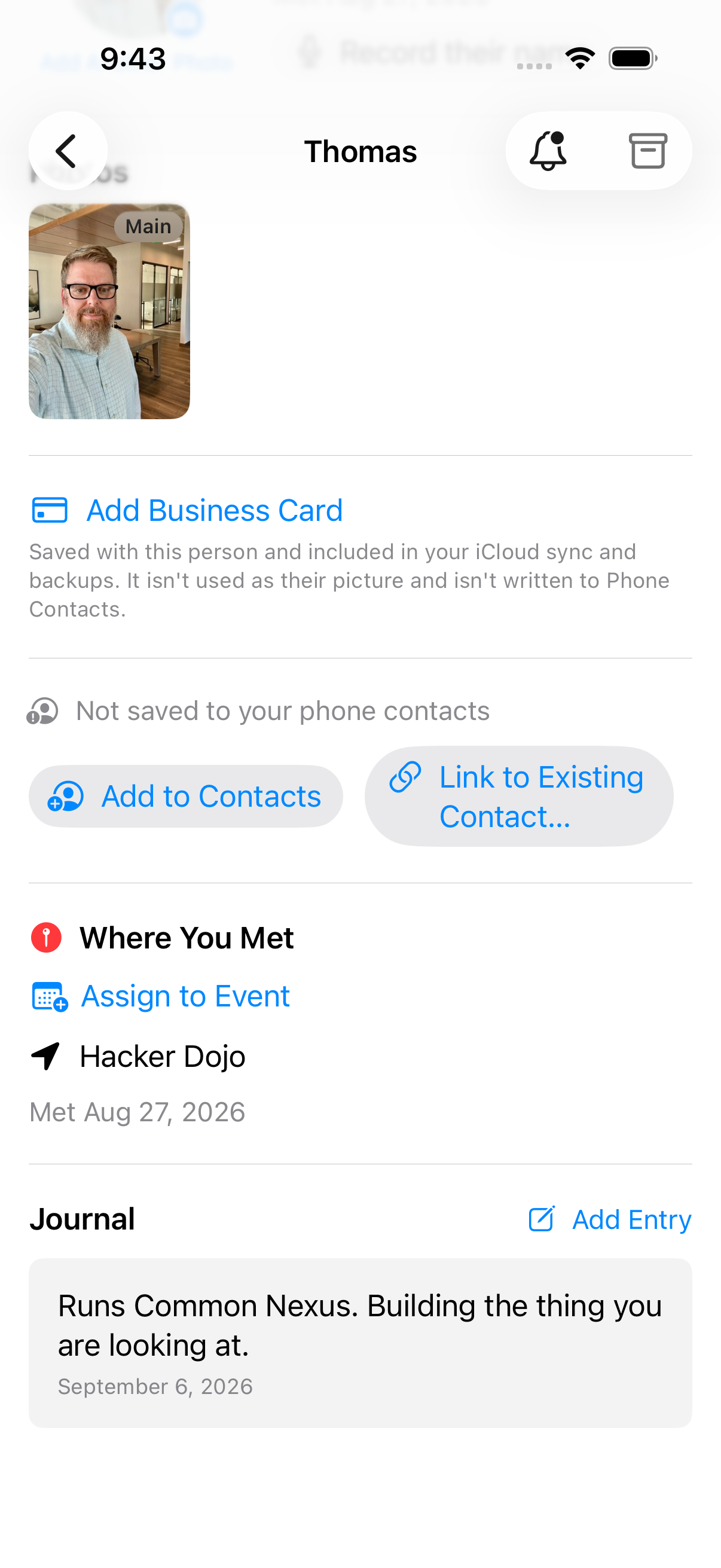
Open someone and add a journal entry. Write a note in your own words, or log an interaction: what kind it was, the date, the minutes it took, and any notes. Each entry sits on that person's page.
Archive, without losing anything
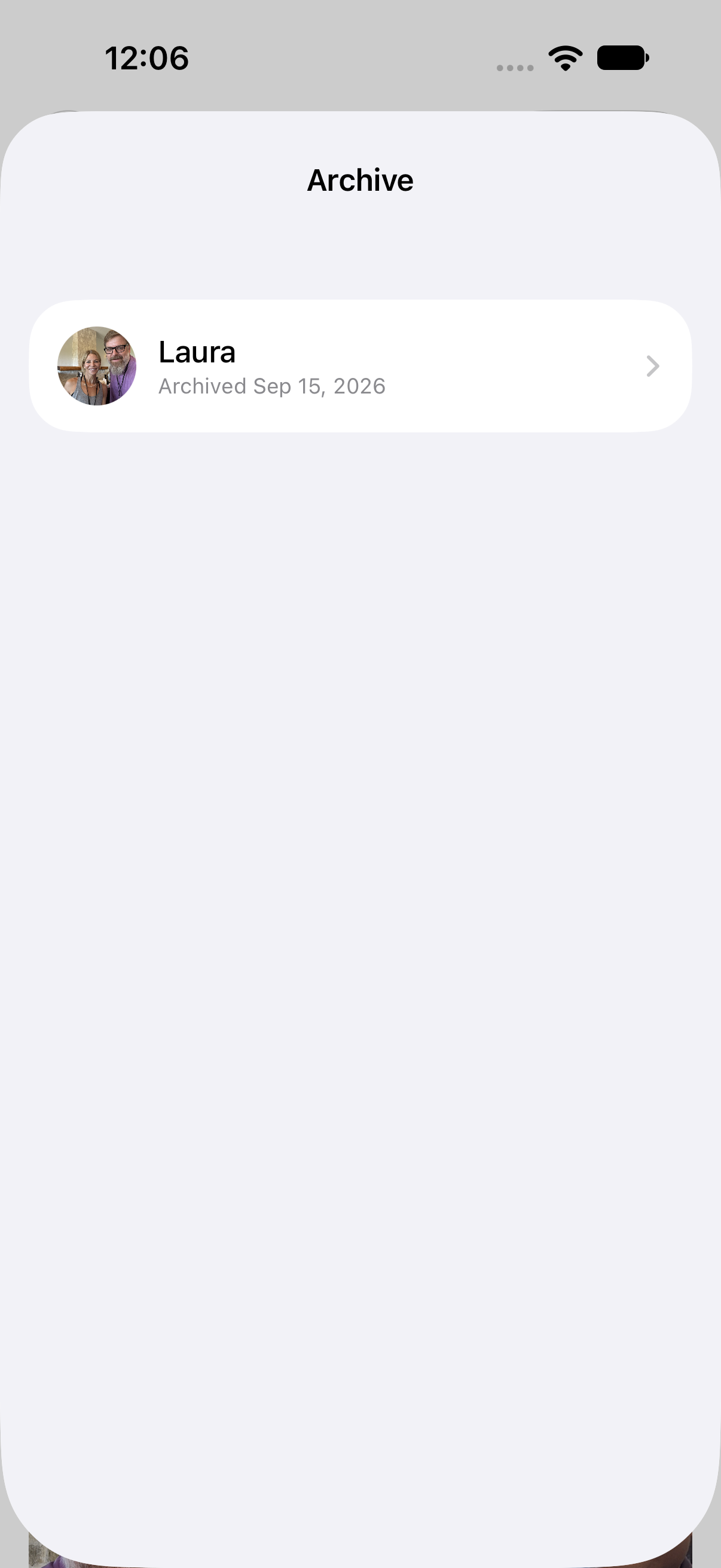
Long-press a person to archive them. Archived people keep their full history and stay out of your main view until you restore them.
The app's own words for the empty state: People you archive show up here. You can bring them back anytime.
Sync is optional, and off by default
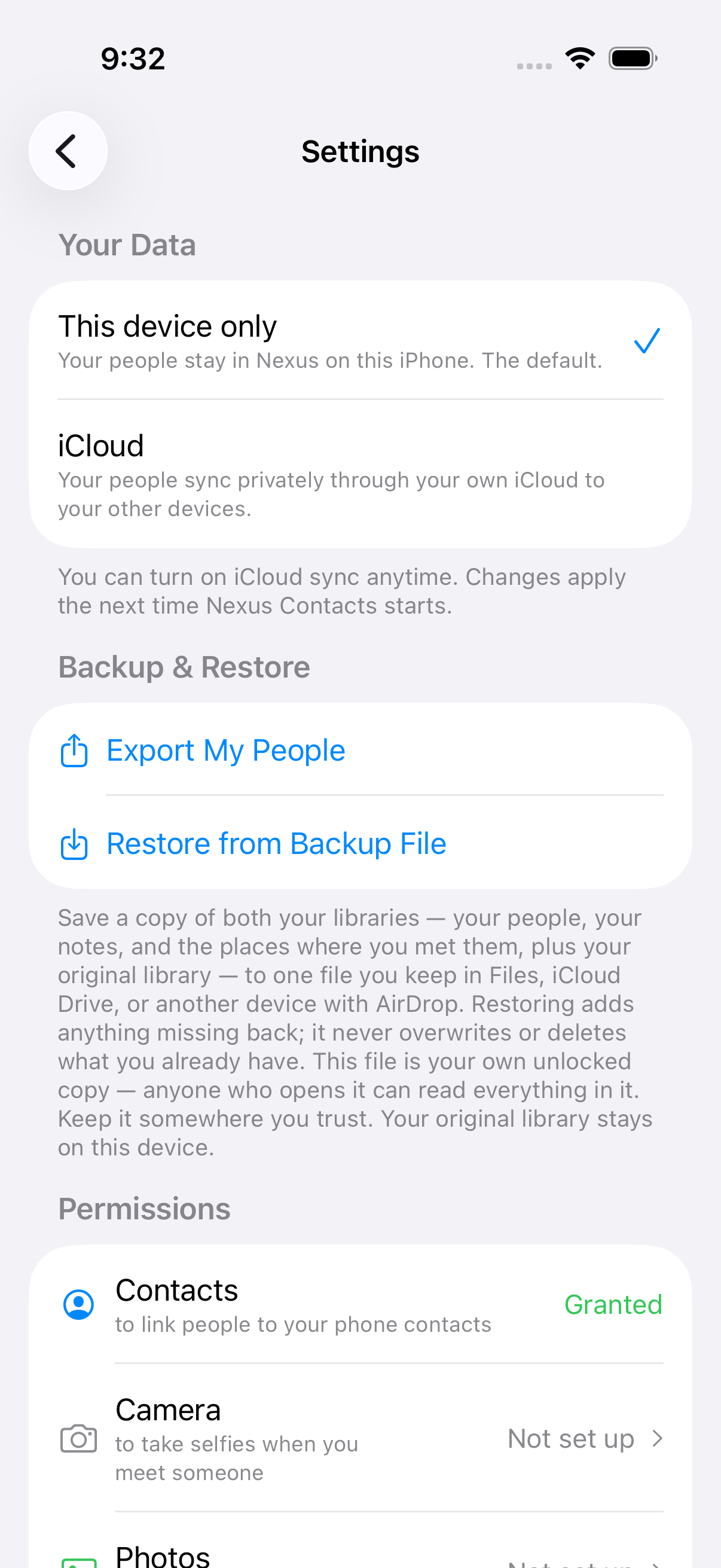
A new install keeps everything on the device. You turn iCloud sync on in Settings if you want it; if you already had it on, it stays on.
When it is on, your contacts, notes and photos sync through your own iCloud account. They are never stored on Common Nexus servers, whether sync is on or off.
ShareCards and reminders do not sync between devices. They travel in your backup — Settings, then Backup & Restore, then Export My People.
Free for your first 100 people
Every feature is in the free version — capture, sharing, reminders, cards, iCloud sync, backup and export. There is no subscription and no feature to unlock.
Only people you capture with Nexus count toward the limit. Your address book never counts, however big it is.
Need more room, it is a one-time purchase. Over the limit, everything you have captured stays fully yours to view, edit, export and sync — the cap only pauses adding new people.
Business cards
Open someone you have met and add their business card. Photograph both sides in one session; the scanner's own review step comes before the text is read, so anything you fix there is what gets read.
What it finds comes back as a list with a checkbox on every line, and nothing is ticked for you. The app does not assume that something shaped like a phone number belongs to this person. You tick what you want and correct whatever the text recognition got wrong.
Tick a name or the company and a phone contact can be created for them; if they are already linked to one, the ticked details are added to it. Leave it all unticked and the card is still saved with the person, and nothing goes to your phone contacts.
A card you have already saved can be read again, from its thumbnail's menu or from its full-screen view. Opened full screen, the photo closes first and then the review appears. Re-reading one page re-reads every page saved in that scan.
No copy of the card comes to us.
Share a screenshot to Nexus Contacts
Share a screenshot or a photo to Nexus Contacts and it asks What would you like to do?
Add to a Person in Nexus puts the picture in that person's photos. In the app's words: The photo in your library isn't moved or changed.
When there is text in the image, two more choices appear. Create Contact fills a new phone contact from the name and company it read, and you review it before anything is saved. Log Interaction records it against a contact you pick, with the text it read alongside.
A note while it's fresh
After you share your card, Nexus shows Contact Shared! and asks you to Jot down what you talked about — and set a reminder if you want one. The note goes into their journal.
Not now? Later reminds you in 30 minutes, an hour, four hours, or tomorrow morning. A follow-up reminder can be set for tomorrow, in 3 days, next week, in 2 weeks, or a date you choose.
Phone Contacts, without the mess
Link someone in Nexus to a contact already on your phone, or add your Nexus people to Contacts. Before anything is written, Nexus says what it will add: Only empty fields are filled — nothing on that contact is overwritten.
Unlinking only removes the link Nexus keeps on this phone. Your phone contact stays exactly as it is.
Assign someone to an event
Met someone at an event but saved them before you started it? Open them and choose Assign to Event, then pick the event. The app tells you before you confirm: This can't be changed later.
Up to 20 photos per person
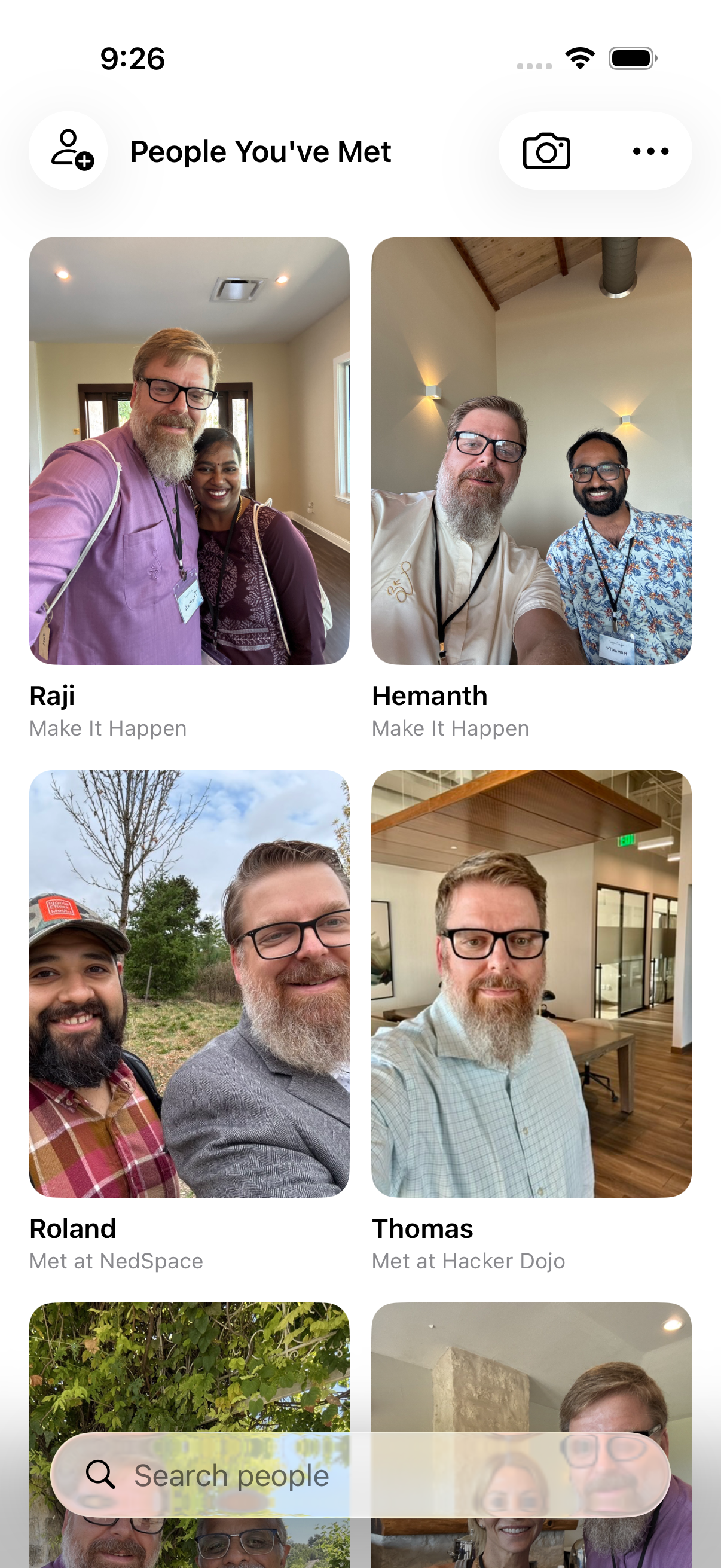
Each person can have up to 20 photos. One is the Main photo on your wall; the rest sit on their page, where you can reorder them or make another one the main photo.
Bring a phone contact's note into the journal
If someone has a note on their phone contact, their page says This person has a note on their phone contact. Tap Copy to journal to add it to their journal. It's a copy: your phone contact is never changed.
A setting can copy those notes automatically when you open someone. It is off until you turn it on.
Search by name
Search people on your wall finds people by name. It searches names only — not notes, places or companies.
Backup & Restore
Settings, then Export My People, saves everything to one file: your people, your notes, the places where you met them, and your share cards. Keep it in Files or iCloud Drive, or AirDrop it to another device.
The app is plain about the file: The file is not locked: anyone who opens it can read everything in it, including a record of where you have been. Keep it somewhere you trust.
Restoring only adds what is missing. Nothing you already have is overwritten or deleted.
iPad, and larger text
On iPad, Nexus Contacts opens with a sidebar: Share Me, New Contact, People You've Met, Reminders and the rest, side by side with what you are looking at.
At the largest text sizes the wall shows bigger tiles in fewer columns, and VoiceOver reads each face with the person's name.
What leaves your phone
Feature by feature, what goes over the network and what does not. The privacy policy covers the legal ground; this is the plain version, next to the features it is about.
Places, and the map
The pins are worked out on your device, from the location saved with each capture. The map underneath is Apple Maps, which loads imagery over the network — so Apple sees the area you are looking at, and looks up the name of where you are as the screen opens, before you save anything. Who those people are, and anything you have written about them, is never part of that request.
Your contacts
The app starts empty, and your existing contacts do not appear on your wall. It reads the address book in narrow ways, keyed to something you already did: linking someone to a contact you already have, picking companions to include when you share, recording who introduced you to whom, or copying across a note you already wrote on a phone contact. Those actions can bring a name, or that note, onto someone’s card. Once it is on a card it is part of that card, and syncs with it if sync is on. What comes in comes one person at a time, because you did something that named them.
Recording someone's name
Before your first recording the app asks you, once, to ask them first. It stores nothing about that conversation, because it cannot witness one.
Sync, and where your people live
A new install keeps everything on the device. You turn iCloud sync on in Settings if you want it. When it is on, your contacts, notes and photos sync through your own iCloud account. They are never stored on Common Nexus servers, whether sync is on or off.
Scanning a business card
Neither the image nor the text it produces comes to us.
Sharing your card by link
Your card details are written into the link itself. If the link opens in the app, nothing is requested from our site. If it opens in a browser instead, our web host records the address it asked for. Which of the two happens is decided on their device, not yours. That address contains your name, phone, email and company. Our web host keeps those records for about four weeks. Nothing about the people on your wall is in that link.
The app itself
No analytics in the app at all.