How to set a follow-up reminder
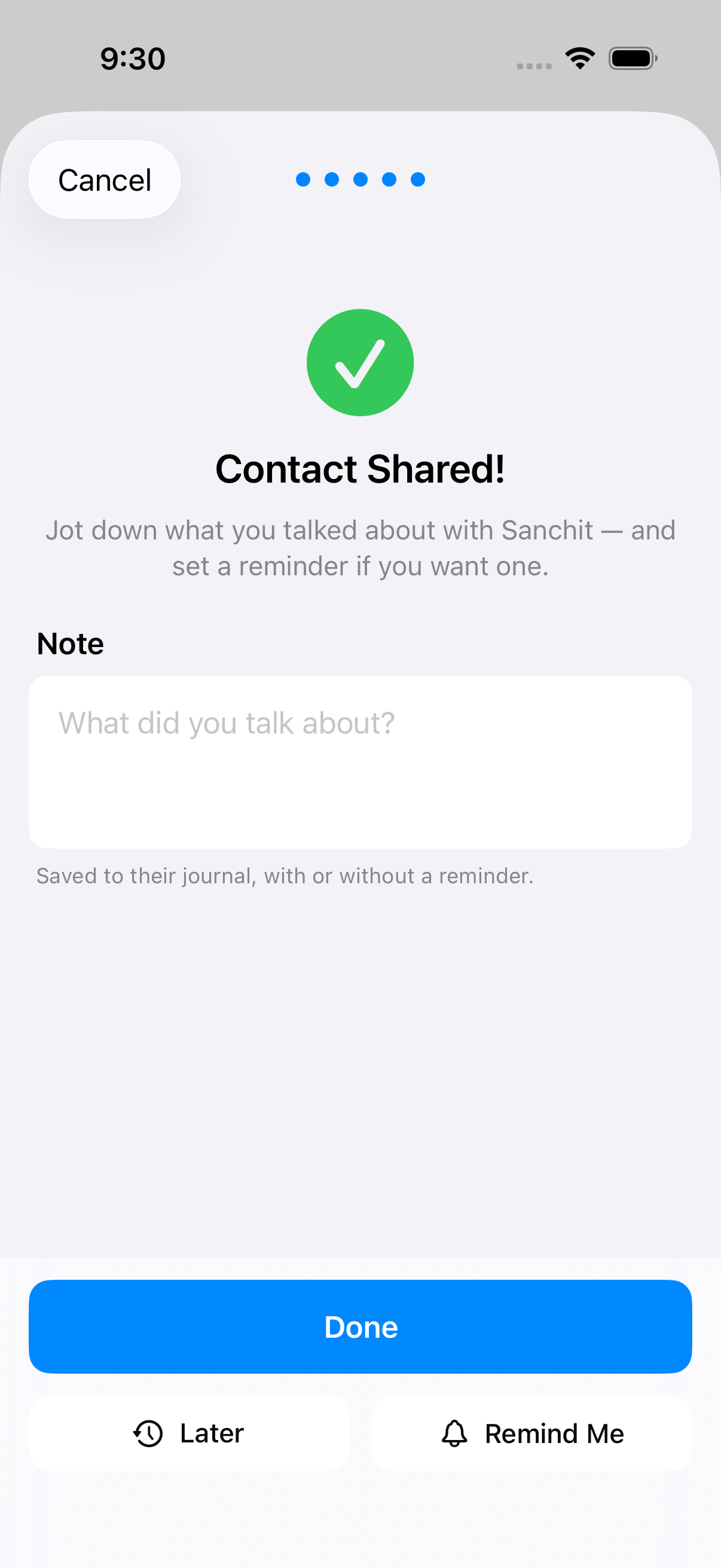
After meeting someone new, Nexus Contacts prompts you to set a follow-up reminder. You can also set reminders from any contact's detail page.
Schedule reminders for days, weeks, or specific dates. Add a note about what to say or follow up on.
Viewing your reminders
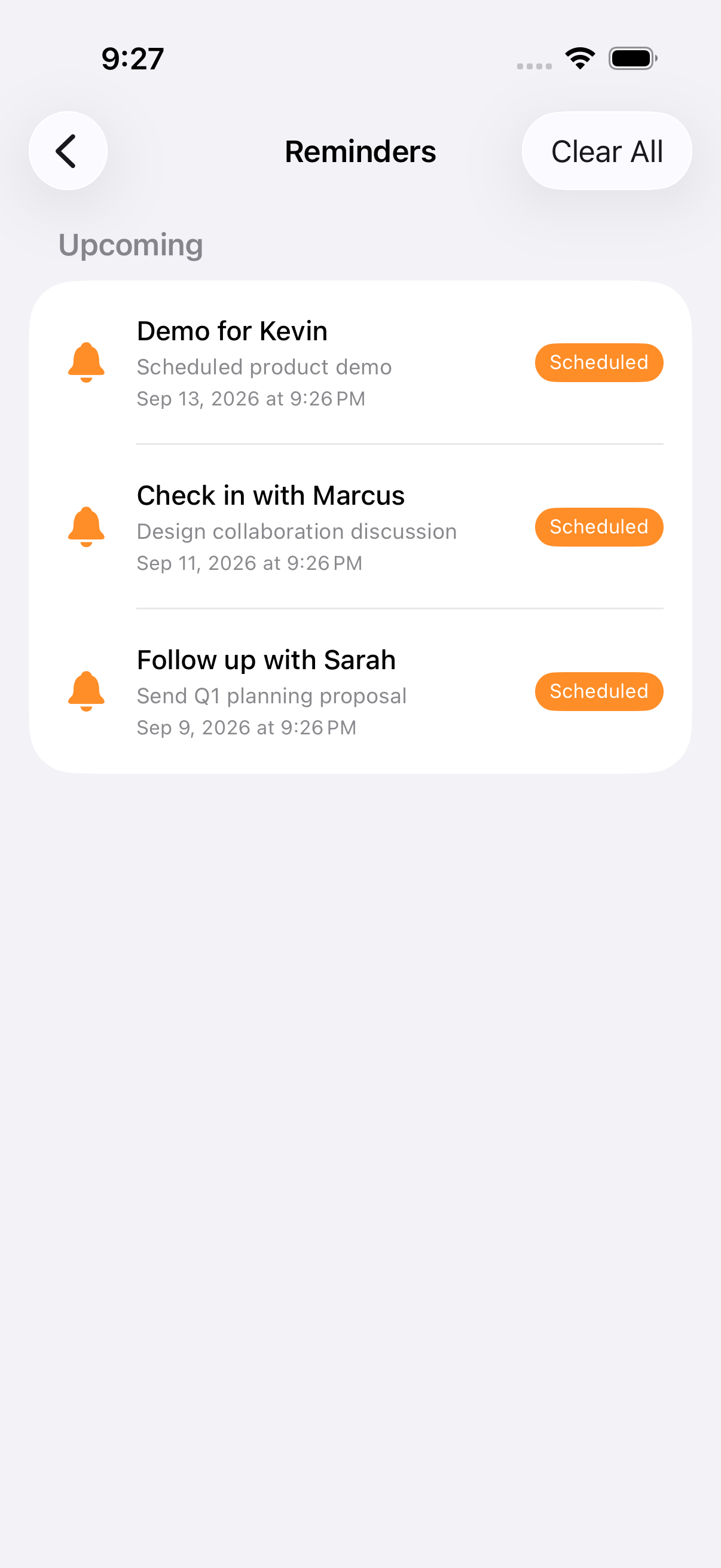
All your pending reminders appear in the reminders list. See who you need to reach out to and when.
Tracking referrals
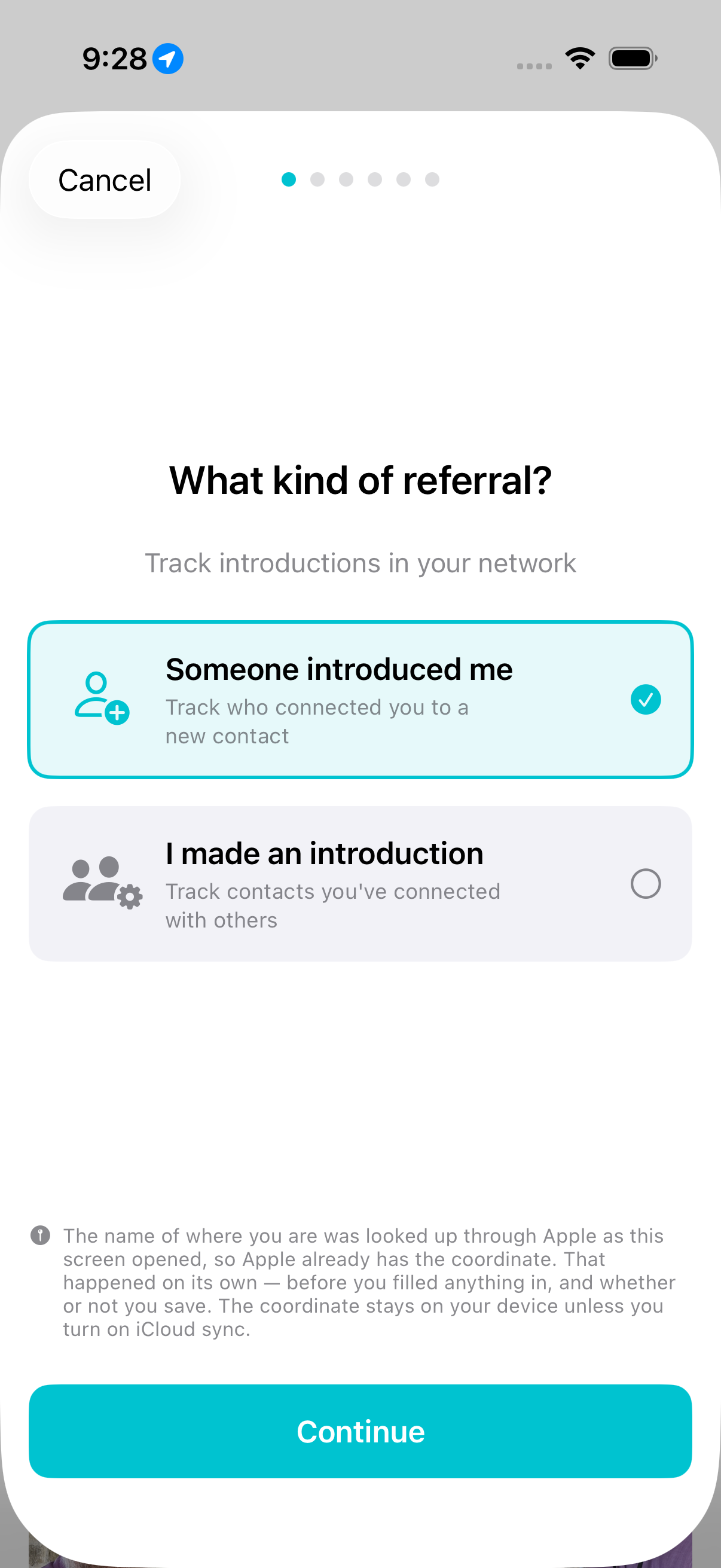
Record who introduced you to whom. Track referrals in either direction — "someone introduced me" or "I made an introduction."
Add context about why you were introduced, tag the opportunity type, and capture a photo to remember the moment.
If this page doesn't answer it, email [email protected]. A person reads it.